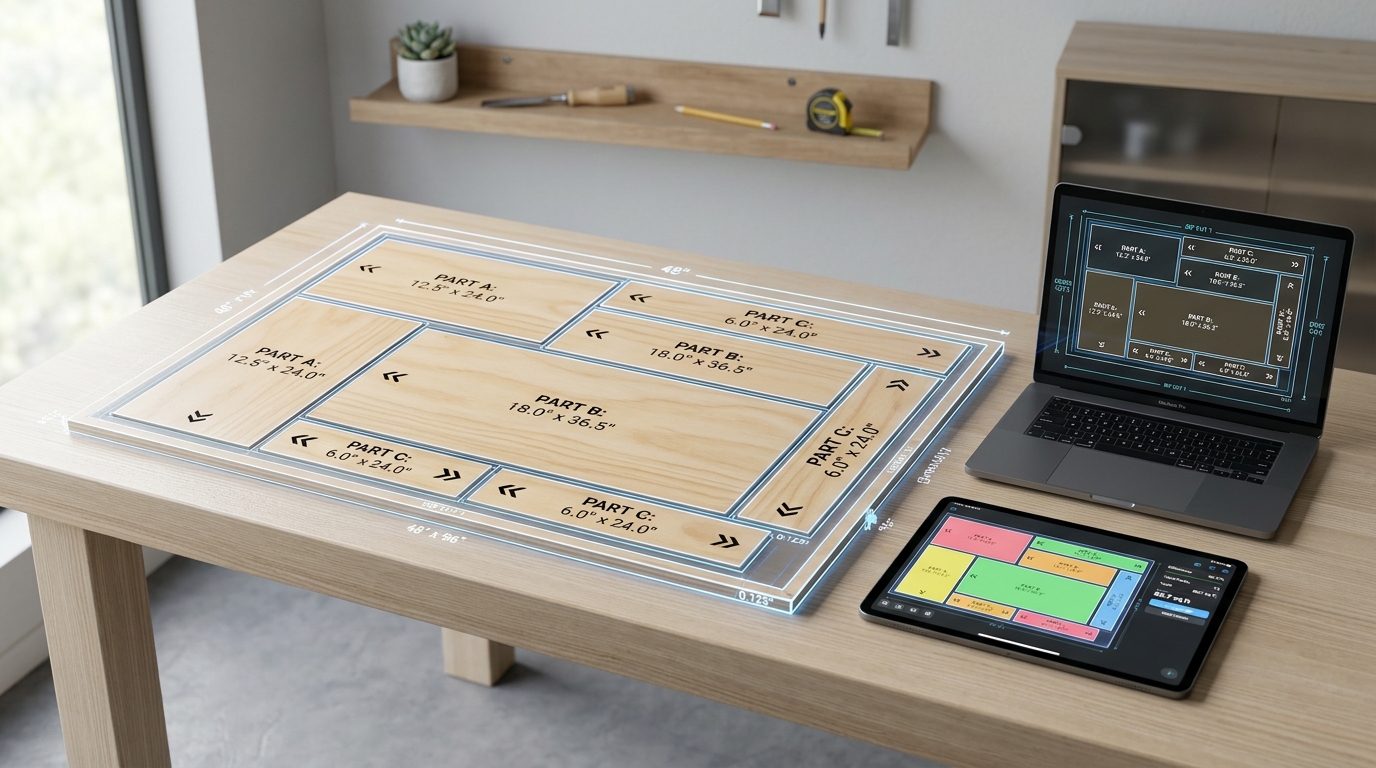
100% Free Forever • Unlimited Calculations • No Daily Limits

Cut List Optimizer Free — #1 Online 2D Sheet & 1D Linear Cut Calculator

Minimize material waste on plywood sheets, 2x4 lumber framing, MDF, and cabinetry. Instant 2D guillotine nesting and 1D lumber bin packing with saw blade kerf compensation, wood grain locking, and free AutoCAD DXF / PDF export.

✓Zero Server Lag
✓No 5-Run Limit
✓100% Private
Cut List Optimizer Free - 2D Plywood Sheet Nesting and 1D Linear Lumber Cutting Visualizer
2D Sheet & 1D Lumber Optimizer● Free & Unlimited
Saw Kerf:mm
Priority:
Stock Sheets & Materials1
Material / NameLength (mm)Width (mm)QtyCost ($)Trim & DefectsActions
Parts to Cut7 pcs
Part LabelLength (mm)Width (mm)QtyRotateGrainEdge Tape
Actions

Ready to Optimize

Click the "Optimize Cutting Plan" button above to calculate maximum yield, minimum waste, and exact cut sequences.

"Which Sheet Should I Buy?" Sheet Size Comparator

Smart material cost estimation
4×8 ft (2440×1220) Best Value
Sheets to Buy:1 sheet(s)
Est. Waste:~35%
Est. Total Cost:$45
Jumbo (3050×1300)
Sheets to Buy:1 sheet(s)
Est. Waste:~51%
Est. Total Cost:$62
Baltic Birch (1525×1525)
Sheets to Buy:2 sheet(s)
Est. Waste:~58%
Est. Total Cost:$84
Euro Full (2800×2070)
Sheets to Buy:1 sheet(s)
Est. Waste:~67%
Est. Total Cost:$85

Why Cut List Optimizer Free Outperforms Legacy Paid Calculators

Why woodworkers, carpenters, and CNC makers are switching from paywalled tools.

Feature / CapabilityCutListOptimizerFree.comCutListOptimizer.comOptiCutter
Daily Calculation LimitUnlimited (Free Forever)Only 5 free runs/dayPaywalled complex plans
Workshop Tablet Cut ModeYes (Tap-to-Complete Live)NoNo
Auto-Deduct Edge BandingYes (4-Edge Selector)BasicPaid Add-on
Knot & Defect Avoidance ZonesYes (Custom Defect Rects)NoNo
Printable QR Code Sticker LabelsYes (A4/Letter Peel & Stick)NoPaid feature
CNC DXF & SVG Vector Export100% Free (No Watermark)No DXFPaid feature
Data Privacy & Execution100% Client-Side Web WorkersCloud Server APICloud Server API
100% Client-Side Cutting Engine • Zero Server Cost • Forever Free

The Best Free Cut List Optimizer Online for Woodworkers & Makers

Welcome to Cut List Optimizer Free, the #1 web-basedcut list optimizer and cut list calculatorengineered to eliminate scrap material and save you hundreds of dollars on every project. Whether you are searching for afree cut list optimizer for 4×8 plywood sheets, a2x4 cut list optimizer for dimensional lumber framing, or a fastwoodworking cut list optimizer for custom cabinetry, ourcut list optimizer online free delivers instant, optimal guillotine cut plans with zero daily limits, no paywalls, and no account signup required.

2D Sheet vs. 1D Linear Cut List Optimizer: How It Works

Our multi-modal nesting engine handles both planar panels and linear bar profiles in one unified workspace.

2D Panel & Sheet ModeGuillotine / MaxRects

2D Plywood Cut List Optimizer for Sheet Goods

Optimizing panel layouts on 2440×1220 mm (4×8 ft), 2800×2070 mm Euro-format, or Baltic birch requires strict adherence to workshop saw constraints. Our sheet cut list optimizercalculates recursive, edge-to-edge guillotine rip cuts and cross cuts so every cut can be cleanly executed on a table saw, track saw, or panel saw.

  • ✓Saw Blade Kerf Deduction: Automatically removes blade kerf (typically 3mm or 1/8") between parts to prevent dimensional creep.
  • ✓Wood Grain Direction: Lock parts to horizontal or vertical grain orientation for matched veneered plywood cabinet faces.
  • ✓4-Edge Trimming: Trim damaged factory borders (Top, Bottom, Left, Right) to ensure true 90-degree square edges.
  • ✓Knot & Defect Avoidance: Define rectangular exclusion zones so parts are packed safely around natural wood flaws.
1D Linear ModeBest-Fit Decreasing (BFD)

Linear Cut List Optimizer & 2x4 Lumber Calculator

When building wall framing, workbenches, pergolas, or railings, thelinear cut list optimizer determines exactly how many stock boards to purchase. Our specialized 2x4 cut list optimizer andlumber cut list optimizer nests studs, plates, and noggins into standard 8 ft, 10 ft, or 2400mm lumber sticks with minimal offcut waste.

  • ✓Cut List Optimizer 2x4 Framing: Perfect for 2×4, 2×6, 4×4 timber, steel bars, and aluminum profiles.
  • ✓Miter & Chop Saw Kerf: Deducts saw kerf at each vertical chop position for exact piece lengths.
  • ✓Saved Off-Cuts Inventory: Usable leftovers are automatically tagged so you can prioritize existing scrap inventory.
  • ✓Fast Cutting Calculator: Instant bar-by-bar visual cut layouts showing exact cut marks from the left stop.
Workshop Tutorial

How to Use the Cut List Optimizer: 5-Step Practical Guide

Follow these steps to calculate your cutting plans in less than 60 seconds with zero wasted timber.

01

Choose Units & Cutting Mode

Select 2D Sheet for plywood/MDF or 1D Linear for lumber. Pick your preferred unit: metric (mm, cm, m) or imperial decimal / fractional inches (16 1/2").

02

Add Stock Sheets or Lumber

Input your available raw materials. Use quick presets for standard 4×8 ft plywood (2440×1220 mm) or2×4 lumber (2400 mm / 8 ft). Enter unit costs to automatically calculate total project material expense.

03

Enter Parts or Paste Excel

Add parts manually, use the Smart Cabinet Wizard to auto-calculate carcass dimensions, or copy-paste directly from spreadsheets using our cut list optimizer excel importer.

04

Set Kerf, Grain & Edge Tape

Enter saw blade kerf (3mm standard). Select whether parts can auto-rotate or must follow natural wood grain. Toggle our 4-edge visual selector to auto-deduct PVC edge-banding thickness.

05

Optimize & Enter Saw Station

Press Ctrl+Enter to execute the background Web Worker algorithm. Mount your tablet on your table saw and use Saw Station Cut Mode to tap pieces as you cut them.

06

Download Pro Exports Free

Download branded Shop PDFs, printable peel-and-stick labels with scannable QR codes, or CNC-ready AutoCAD DXF vector files with zero watermarks and zero paid upgrades.

Spreadsheet Workflow

Cut List Optimizer Excel & Google Sheets Integration

Many carpenters and production workshops draft cutting lists in Microsoft Excel or Google Sheets. Re-typing dimensions by hand introduces costly typos and slows down estimation. With ourcut list optimizer excel copy-paste bridge, you simply select your columns in Excel, press Ctrl+C, and paste directly into the app.

// Supported spreadsheet copy formats:
Gable Side Panel      720   560   2
Base Bottom Panel     564   560   1
Adjustable Shelf      562   530   4

The tool automatically parses tabs, commas, and fractional notations, populating your parts table in a fraction of a second.

Industry Comparison

Why We Outperform Paid Tools like OptiCutter & CutListOptimizer

Legacy utilities like CutListOptimizer.com lock users out after only 5 calculations per day. Similarly, tools like OptiCutter put complex multi-sheet plans and DXF downloads behind paywalls.

Cut List Optimizer Free operates with zero server computation cost because the entire bin-packing engine runs locally in your browser. We guarantee 100% free unlimited nesting, watermark-free PDF reports, and zero tracking cookies forever.

No Cut Limits•No Watermarks•No Signup

Woodworking Cut List Vocabulary & Best Practices

Master essential cutting list concepts to achieve tighter nesting layouts and professional joinery.

Saw Blade Kerf

The physical width of material removed by the saw blade teeth. For 10" table saws, kerf is usually 3.2mm (1/8"). Thin-kerf blades measure ~2.4mm (3/32").

Guillotine Cutting

A cut that extends straight edge-to-edge across the entire remaining sheet or board, mandatory for table saws, panel saws, and chop saws.

Wood Grain Alignment

Keeping grain lines parallel across adjacent cabinet doors and drawer fronts. Lock orientation to 'Length' or 'Width' to prevent automatic rotation.

Edge Banding Allowance

Pre-glued veneer or 1mm/2mm PVC tape applied to raw sheet edges. Our optimizer deducts tape thickness so your finished component fits exact tolerances.

SEO Knowledge Base & Guide

Frequently Asked Questions: Cut List Optimizer & Cutlists

Everything you need to know about 2D sheet nesting, lumber cut lists, cabinet cutlists, saw blade kerf, and free woodworking software.

🔍
1

how to use cut list optimizer

General & Usage
▼

To use a cut list optimizer, follow five simple steps: 1) Choose your cutting mode—select 2D Sheet for sheet goods (like plywood, MDF, or acrylic) or 1D Linear for dimensional lumber (like 2x4s, pipes, or framing studs). 2) Enter your available raw stock dimensions (e.g. 4x8 ft or 2440x1220 mm sheets). 3) Input your required finished parts with their length, width, quantity, and grain direction. 4) Set your saw blade kerf thickness (typically 1/8 inch or 3.2 mm) and edge trim margins. 5) Click Optimize to instantly compute waste-minimized cutting layouts, cutting sequences, and off-cut salvage inventories.

2

Which CutList Optimizer is the best?

Software & Tools
▼

CutListOptimizerFree.com is widely considered the best cut list optimizer for woodworkers, carpenters, and CNC makers. Unlike legacy commercial alternatives such as CutListOptimizer.com (which restricts free accounts to 5 runs per day) or OptiCutter (which locks complex multi-sheet plans behind paid subscriptions), CutListOptimizerFree.com is 100% free with unlimited runs, zero signup requirements, client-side browser privacy, wood grain direction locking, edge banding deductions, and instant AutoCAD DXF & printable PDF exports.

3

Is CutList Optimizer free?

Pricing & Access
▼

Yes, CutListOptimizerFree.com is 100% free forever. There are no subscriptions, no monthly charges, no credit card requirements, and no daily calculation limits. All professional features—including 2D sheet nesting, 1D dimensional lumber optimization, kerf deductions, CSV/Excel import, and CNC DXF vector downloads—are completely unrestricted.

4

How to use the CutList Optimizer?

General & Usage
▼

Using CutList Optimizer Free takes under a minute: First, select either 2D Sheet or 1D Linear cutting mode. Second, choose your stock sheet or board length from the regional presets (or enter custom sizes). Third, add your cut parts manually or copy-paste rows directly from Microsoft Excel or Google Sheets. Fourth, configure saw kerf, edge banding, and grain direction. Finally, click 'Calculate' to generate visual guillotine cutting diagrams, step-by-step cut instructions, and printable workshop labels.

5

Is there a free CutList Optimizer app for PC?

Software & Tools
▼

Yes! CutListOptimizerFree.com works as a dedicated, free offline app for PC (Windows, macOS, and Linux). Engineered as a Progressive Web App (PWA), you can install it directly from your web browser (Chrome, Edge, or Brave) to your desktop with a single click. It operates entirely on your PC's local processor without internet access, providing lightning-fast calculations without requiring an expensive desktop software license.

6

How to create a cut list?

General & Usage
▼

To create an accurate cut list for any woodworking or carpentry project: 1) Measure the final dimensions from your design sketch or 3D model. 2) Break down the project into every single component (sides, top, bottom, shelves, drawer boxes, and face frames). 3) Adjust dimensions for joinery allowances (such as 1/4" dado grooves or rabbets) and deduct edge banding thickness. 4) List each piece with its Part Name, Length, Width, Thickness, Material, and Quantity. 5) Enter or paste the list into CutListOptimizerFree.com to calculate the exact raw stock needed.

7

What is the best app for cutting lists?

Software & Tools
▼

The best app for cutting lists depends on your project stage: For sheet nesting, cut layout diagrams, and material waste minimization, CutListOptimizerFree.com is the #1 free web and mobile app. For 3D furniture and cabinet design, SketchUp paired with the free OpenCutList extension is the industry standard for automatically exporting component cut lists straight into cutting calculators.

8

How much does CutList Optimizer cost?

Pricing & Access
▼

CutListOptimizerFree.com costs $0—it is completely free with no hidden fees or tier restrictions. In contrast, older legacy alternatives like CutListOptimizer.com charge monthly fees for more than 5 runs per day, OptiCutter charges subscriptions for multi-sheet exports, and desktop programs like CutList Plus fx can cost between $89 and $495. CutListOptimizerFree.com provides unlimited pro features for free.

9

Is there an online CutList Optimizer available?

Software & Tools
▼

Yes, CutListOptimizerFree.com is a fully featured online cut list optimizer accessible from any web browser on desktop, tablet, or smartphone. It requires zero installation, no software updates, and no account registration. You can run cutting calculations directly in the workshop on an iPad, Android tablet, or laptop.

10

Can I get a cutlist from SketchUp?

Cabinets & Woodworking
▼

Yes, you can easily generate a cut list from SketchUp using popular free plugins like OpenCutList or CutList Bridge. Once you model your project components in SketchUp, the plugin extracts part dimensions, grain directions, and material types into a CSV or Excel spreadsheet. You can then copy and paste this spreadsheet directly into CutListOptimizerFree.com to calculate the most efficient sheet cutting layout.

11

What is the purpose of a cut list?

General & Usage
▼

A cut list (also known as a cutting bill or bill of materials) specifies the exact dimensions, quantities, and material types for every individual part needed to construct a project. Its main purposes are to: 1) Eliminate cutting mistakes and costly material re-purchases, 2) Calculate precisely how many plywood sheets or lumber boards to buy, 3) Minimize scrap waste, and 4) Provide a clear, sequenced cut plan for table saws, panel saws, and miter saws.

12

What software can I use to create cabinet cutlists?

Cabinets & Woodworking
▼

To create cabinet cut lists, woodworkers use: 1) CutListOptimizerFree.com, which features a built-in Smart Cabinet Wizard to instantly generate standard base, wall, and tall cabinet carcass pieces; 2) SketchUp with the OpenCutList plugin for custom 3D cabinetry; 3) Specialized cabinet software like Mozaik, Cabinet Vision, or Polyboard; and 4) Parametric CAD tools like Autodesk Fusion 360.

13

What is cut optimization?

General & Usage
▼

Cut optimization (technically known as the 1D/2D Cutting Stock Problem) is an applied mathematical algorithm that determines the most efficient arrangement of rectangular parts on stock sheets (plywood, MDF, sheet metal, glass) or linear pieces (lumber, pipes, aluminum extrusions). It accounts for saw blade kerf thickness, guillotine cutting constraints (continuous edge-to-edge passes), and wood grain direction to maximize material yield and minimize scrap waste.

14

Is cut list optimizer free?

Pricing & Access
▼

Yes, CutListOptimizerFree.com is 100% free with no trial limits, watermarks, or credit cards required. Woodworkers, DIYers, and cabinetmakers can run unlimited 2D sheet nesting calculations, optimize 1D dimensional lumber, import directly from Excel, and export clean PDF cut diagrams and AutoCAD DXF files without paying a penny.

15

What woodworking software can I use to create cut lists?

Cabinets & Woodworking
▼

The top woodworking software options for generating cut lists include: 1) CutListOptimizerFree.com for quick, waste-minimized 2D panel and 1D lumber cut calculations in any browser; 2) SketchUp with the OpenCutList extension for 3D modeling and automated cut list breakdown; 3) Fusion 360 for parametric woodworking joinery and CNC toolpath generation; and 4) Spreadsheet templates in Excel or Google Sheets for manual dimension tracking.

16

How to make a cutlist for cabinets?

Cabinets & Woodworking
▼

To make a cabinet cut list: 1) Establish the external cabinet dimensions (height, width, depth). 2) Identify the core box parts: 2 sides, top and bottom panels, back panel, and interior shelves. 3) Deduct material thickness (e.g., 3/4" or 18 mm plywood) for internal joinery, and subtract depth for dadoes or rabbets (usually 1/4" deep). 4) Subtract edge banding allowances on visible edges. 5) Use the built-in Cabinet Wizard on CutListOptimizerFree.com to automatically calculate these parts and nest them onto standard 4x8 plywood sheets with minimal waste.